

Three months ago I wrote about reducing my BigTech dependencies. The response was great: I had several people asking some detailed questions and also for updates. So here we are!
The short version is that I’ve been cleaning house. Not the most exciting stuff, but more like organizing that drawer you’ve been avoiding for years. Something I actually also did last week. 😅
Foundations for Local Family LLM
I could’ve jumped straight to the exciting stuff like voice assistants, AI interfaces, smart automations. But a fancy AI assistant isn’t very useful if it doesn’t know who you are, what your preferences are, or where to find your documents. I won’t convince my family to use a local LLM if it’s just a slighlty worse version of ChatGPT with no added benefits.
So I’ve been building infrastructure.
One of the major additions to the stack is Paperless-ngx (which documents sit inside one of my Obsidian workspaces) which means an LLM could actually search our household documents. The Obsidian setup (where I keep notes, manuals, projects) is already structured for retrieval and LLM use with several workspaces. FreshRSS could feed relevant news into a daily briefing.
What got done
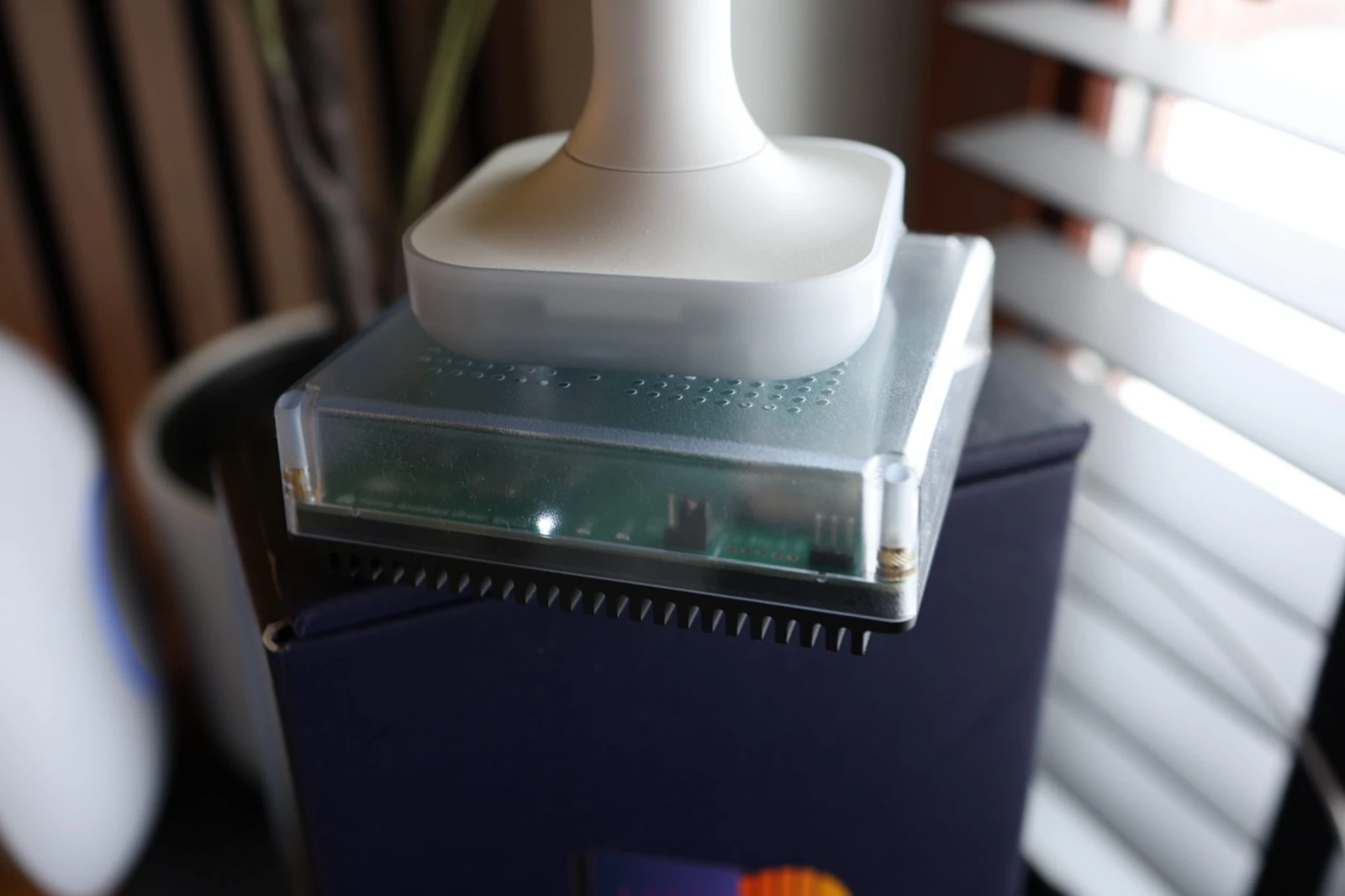
Dedicated Home Assistant device: Got a Home Assistant Green with a ZBT-2 for all Zigbee connections.
New (to me) laptop: Picked up a secondhand ThinkPad X1 Carbon running CachyOS. Runs incredibly smooth and is now my main laptop. It’s (probably) not as indistructable as it’s reputation, but this is one heck of a sturdy device!
FreshRSS is running. This was on my “after that” list in October. I’m still recovering from the Google Reader sunset in 2013. Having RSS back feels very nice, it’s such a good protocol!
Paperless-ngx for documents. Insurance papers, manuals, government stuff, utilities… From now on it’s all searchable and OCR’d. This one doesn’t sound exciting until you need to find that warranty document from 2019. Also will be a great base/source for future family LLM.
Every service has its own subdomain now. This might seem like a small thing, but it’s been a huge quality-of-life win. Instead of remembering IP addresses and port numbers, everything runs on clean URLs. Or we just access them directly from the central “local services” Homepage.
Public access without VPN. A selection of the local services (e.g. media, ebooks) is now accessible remotely through Cloudflare Tunnel. Same https:// URL works at home and away. No Tailscale required for basic access. No changing the URL between local and remote. The Spouse Approval Factor on this one is high
Cloudflare, SSL certificates, reverse proxies… I have avoided them for years: these sounded VERY daunting to me. I can’t say that it’s super simple now, but it turns out that with the help of Claude Code, it became an easy hurdle to overcome. And now that the steps are established, adding new services to the local network takes just a couple of minutes.
Details on the current stack
All of this (except Home Assistant, which runs on its own dedicated device) is hosted on my Synology DS920+ via Docker/Portainer. So far it’s handling (almost) everything remarkably well.
The one exception are Immich’s machine learning tasks (e.g. face recognition and smart search), these were crushing the Synology’s CPU and especially on the first import could run for days. The fix was to spin up an Immich ML container on my MacMini and configured it as the primary ML server, with the Synology as fallback. Now Immich flies through ML tasks without melting the NAS.
I might upgrade to a dedicated homelab server in the future, but the current RAM prices make the Synology look nicer every day 😂
Infrastructure
-
Portainer CE
(Docker management) -
Homepage
(dashboard) -
Glances
(system monitoring) -
Uptime Kuma
(service uptime monitoring) -
Diun
(Docker update notifications to Telegram)
Networking & Security
-
Firewalla
(router/firewall with ad blocking) -
Cloudflare Tunnel
(secure public access without port forwarding) -
Tailscale
(mesh VPN for private access)
Media Stack
-
Plex
(media server) -
LazyLibrarian
(books & audiobooks) -
Calibre-web
(ebook web interface) -
Audiobookshelf
(audiobook player) - *arr stack
Photos
-
Immich
(Google Photos replacement)
Home Automation
-
Home Assistant
(with ZHA coordinator)
Documents & Reference
-
Paperless-ngx
(document management) -
FreshRSS
(RSS reader) -
Kiwix
(offline Wikipedia)
Automation & Data
Gaming
- Minecraft server
What’s next
A few smaller UX improvements first. I’m setting up a messenger bot to upload images and documents directly to Paperless (probably with help of n8n). Right now you need to open the web interface. Good enough for me, too much friction for family use.
Once these systems are stable and in use, the next step is a local LLM interface with access to all these documents. OpenWebUI or LibreChat (self-hosted ChatGPT-style interfaces) are high on the list of candidates. The goal: an AI assistant that actually knows us and our stuff, running entirely at home and able to control the home. I think a purchase of the Home Assistant Voice is in my future. 😅
I’ll share an update again in a couple months how this went (or how it terribly went wrong…)!
This is a follow-up to How I reduced my BigTech dependencies in 2025.
Running any of this at home? What would you want a local AI to manage first?